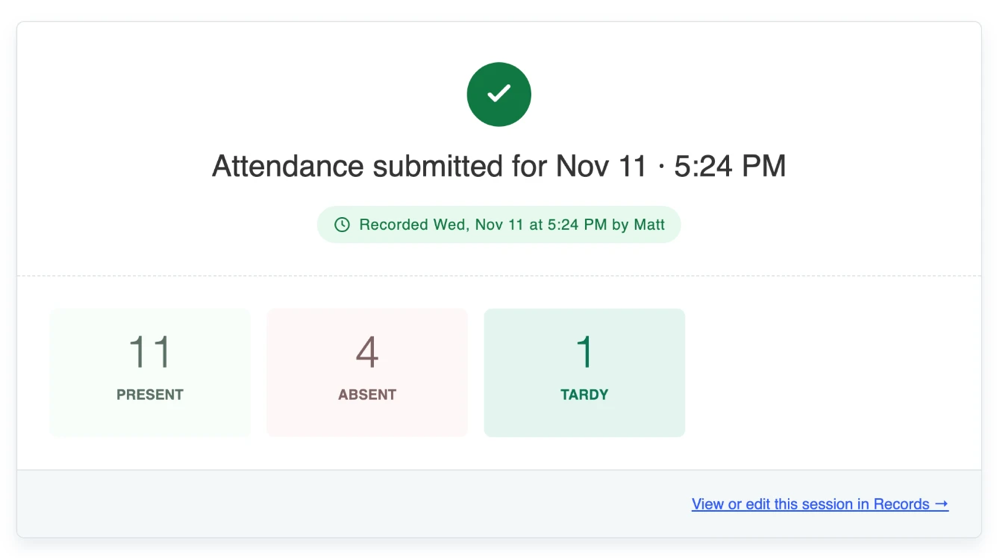
Starting in January 2027, Qwickly Attendance will show instructors a new attendance receipt screen each time they submit attendance. Instead of a short info banner at the top of the screen, instructors will get a clear confirmation of the session they just recorded, with a quick count of attendance statuses and a direct path to review or correct it.
Why We Built It
This enhancement started with our community. Administrators told us about a common problem: instructors trying out Check-In Mode would sometimes create a real attendance session without realizing it, leaving every student marked absent. Some of these sessions went unnoticed until students saw them in the gradebook. Additionally, instructors using List Mode would sometimes mistakenly enter attendance multiple times for the same session, unsure if attendance was recorded properly. Several institutions asked for something more visible, and this receipt screen is the result.
What Instructors Will See
Right after attendance is submitted, the receipt screen shows:
Fewer Surprises, Cleaner Data
For administrators, this means fewer accidental sessions in the gradebook and enterprise reports and fewer support questions from students who were marked absent by mistake. For instructors, it gives the confidence that attendance was saved correctly, with no need to open Records just to check.
The receipt screen will be available to all Qwickly Attendance institutions in January 2027, with no setup required. We'll share more details, including a Knowledge Base article, closer to the release.
About Qwickly
Qwickly builds educational technology that simplifies everyday workflows for instructors, students, and administrators. To learn more about Qwickly Attendance, visit www.goqwickly.com/attendance/.